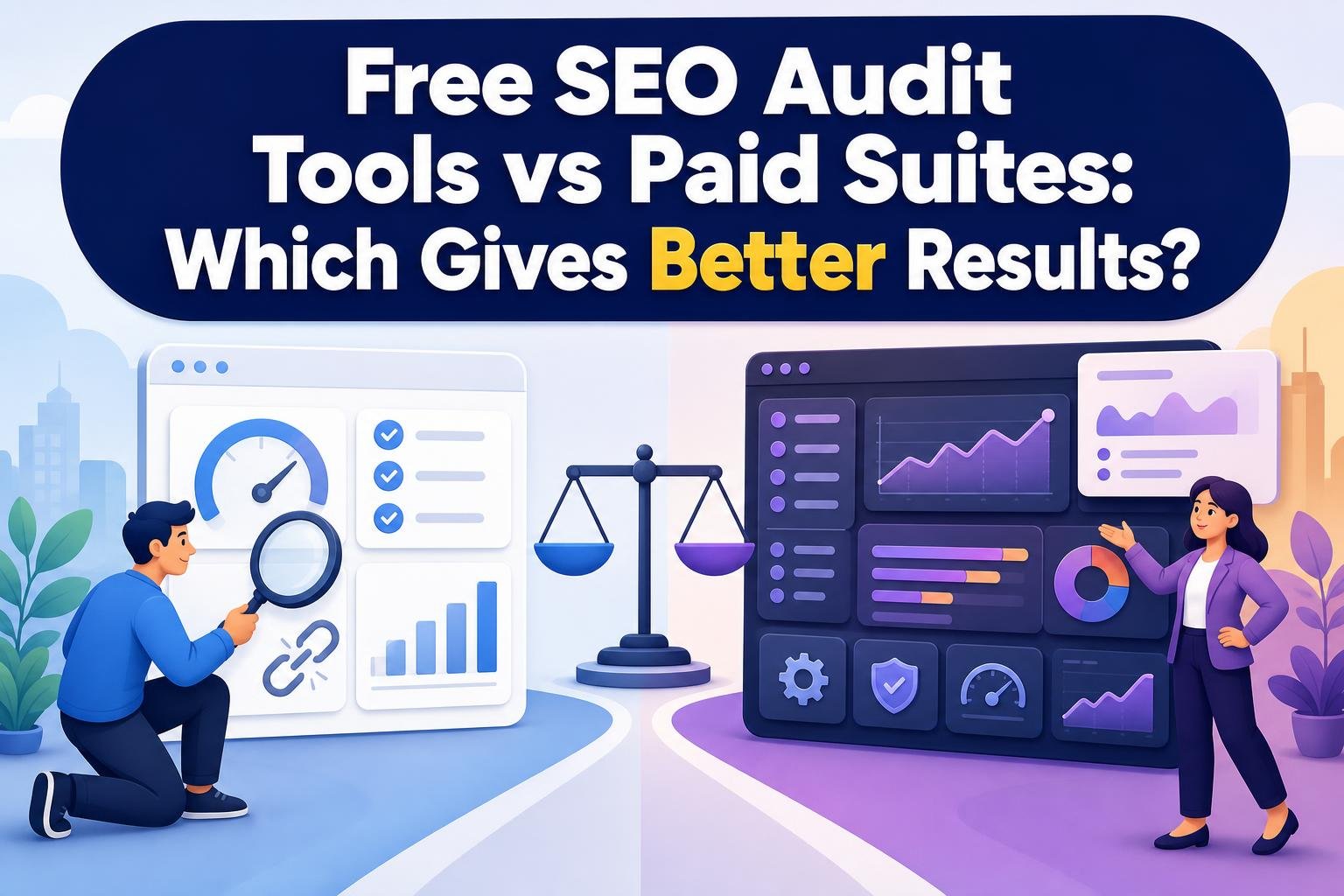
You booked a discovery call, and it turned into a request for a paid audit. Now you have two choices in front of you: stitch together Google's free tools and a free crawler, or put a paid suite like Ahrefs on the company card. For most freelancers auditing small business WordPress sites, free tools win, and it isn't close: Google Search Console, PageSpeed Insights, Lighthouse, and Screaming Frog's free tier will find nearly every fix a 40-page site actually needs. Pay for a suite when the work shifts from finding problems to selling strategy: competitor gaps, backlink intelligence, recurring reports across a portfolio, and rank tracking a client will pay you to watch month after month.
The catch is that the paid tools sell you on scale, and scale is exactly what a single small site doesn't have. A €245-a-year crawler license or a €119-a-month subscription buys crawl credits and keyword slots you won't fill. So the real question is not which tool is better. It's whether your work volume has crossed the line where automation and historical data start earning back their price.
The short version
Free SEO audit tools are enough for small sites, one-off audits, and anything where you mainly need first-party performance data and technical checks. Google's free stack (Search Console, Analytics, PageSpeed Insights, Lighthouse, Rich Results Test) plus Screaming Frog's free 500-URL crawler covers indexing, Core Web Vitals, broken links, structured data, and on-page basics. Paid suites earn their cost on large sites, recurring audits, competitor and backlink research, rank tracking, and scheduled client reporting. The best tool is the one that separates high-impact, current issues from obsolete advice, not the one with the longest issue list.
What free actually covers, and where it stops
Google's own tools are first-party truth. Search Console reports the queries, clicks, impressions, and indexing status for a site you've verified, and as of the 2026 rollout it also breaks out impressions from AI Overviews and AI Mode, with Google confirming the generative-AI performance report reached every website worldwide by the end of August 2026. That's data no paid suite can model, because it comes straight from Google. PageSpeed Insights and Lighthouse handle Core Web Vitals and performance diagnostics. Rich Results Test tells you whether structured data is valid.
Then there's the crawler gap. Screaming Frog's free version crawls up to 500 URLs, which covers most brochure sites, local businesses, and small blogs with room to spare. For a 60-page plumber's site, that limit never bites. The free tier finds broken links, duplicate titles, missing meta descriptions, thin content, and redirect chains. Builders on r/framer describe exactly this: free audits surfacing missing meta descriptions, absent structured data, and inefficient image formats that were nearly invisible in the source.
Where free stops is scale and context. Search Console's performance tables cap at 1,000 rows, including the new AI report, so a large site's long tail gets truncated. Free tools tell you what's broken on your site. They don't tell you which competitor is outranking you and why, which backlinks are worth chasing, or how a fix moved rankings over six months.
Tip: Before you pay for anything, verify the site in Search Console and let it collect two to four weeks of data. Half the "issues" a paid crawler flags are already answered by Google's own index coverage and query reports, for free.
The money, worked out for one real scenario
Say you run five WordPress audits a month for small business clients, each site under 200 pages. Here's what the paid path costs versus the free one.
Screaming Frog's paid license runs €245 per license per year, which unlocks unlimited crawling, JavaScript rendering, crawl comparison, custom extraction, and integrations with Analytics, Search Console, and PageSpeed Insights. Ahrefs sits on a subscription model: Starter at €27 a month, Lite at €119, Standard at €229, Advanced at €419, and Enterprise starting at €1,394 a month on an annual commitment. Lite gives you 100,000 monthly Site Audit crawl credits and tracking for 750 keywords, per Ahrefs' 2026 pricing.
Run the numbers on that five-site workload. Five sites at 200 pages is 1,000 pages a month of crawling. Ahrefs Lite hands you 100,000 credits, so you'd use about one percent of what you're paying for, at €1,428 a year. Screaming Frog's free tier already crawls each of those sites (500 URLs covers 200 pages), so your crawler cost is zero. Add Search Console, PageSpeed Insights, and Lighthouse, also zero, and your annual tool bill for the free path is nothing.
The paid case only closes when the numbers change shape. If you're auditing a 5,000-page ecommerce catalog, the free crawler's 500-URL ceiling breaks immediately, and the €245 Screaming Frog license pays for itself on a single project. If a client wants monthly rank tracking on 400 keywords plus competitor backlink reports, that's a service you can bill for, and Ahrefs Lite's 750-keyword slot becomes a revenue tool rather than an expense. The hidden cost with subscriptions isn't the headline price. It's paying €119 a month during the three months a year you actually have suite-scale work.
Living with each, day to day
The free stack is a set of separate windows. You pull query data from Search Console, run a crawl in Screaming Frog, paste the URL into PageSpeed Insights, check markup in Rich Results Test, then assemble the findings yourself. That's the friction: no single report, no automatic prioritization, and you're the one deciding what matters. Users on r/IMadeThis raise this as the core complaint about free audit tools: they hand you a score or an issue list without enough explanation to show which fixes move rankings. A raw list of 200 crawl warnings is not an audit. It's homework.
A paid suite compresses that into one dashboard. Ahrefs Site Audit checks what the company reports as more than 170 on-page and technical issues, schedules recurring crawls, tracks changes over time, and pairs the technical data with competitor and backlink context in the same interface. For an agency running weekly audits across dozens of properties, that consolidation is the product. You stop switching tools and start reading trends.
But treat that 170-issue figure as a vendor claim, not a quality score. A longer list of flagged issues doesn't produce better rankings. Some of what any crawler flags is noise or outdated advice: Google confirmed in 2026 that FAQ rich results no longer appear in Search, so valid FAQ markup no longer earns a visible feature, and Google clarified in June 2026 that llms.txt is not required for Search and neither helps nor hurts rankings. Any tool or consultant recommending it as a ranking fix is selling obsolete advice. Judgment is the part no subscription replaces.

Where the paid suites genuinely win
Free tools lose on three fronts, and pretending otherwise would be dishonest.
Competitive intelligence is the clearest. Search Console shows your own site's Google visibility and nothing else. It cannot tell you which competitor owns a keyword you're missing, which of their pages earns the most links, or where the content gap sits. Ahrefs, Semrush, and similar suites build that from modeled data across the web. That's not a diagnosis you can DIY.
Historical and recurring analysis is the second. Paid plans keep months or years of trend data, run scheduled scans, and track rank movement so you can prove a fix worked. Ahrefs plans track 750, 2,000, 5,000, or at least 10,000 keywords depending on tier, and its higher plans push crawl credits from Lite's 100,000 up to 1.5 million on Advanced and at least 5 million on Enterprise. Those numbers only matter at portfolio scale, but at that scale they matter a lot.
AI-search visibility is the newest front, and it splits interestingly. Paid suites now monitor AI prompts directly: Ahrefs plans include 150, 300, 600, or at least 2,500 monthly checks on tracked AI prompts, and Semrush reported its 2026 AI Visibility Index analyzed 126 million AI-search prompts. Google's free Search Console counters with actual AI Overviews and AI Mode impressions for your verified property, which is real data rather than modeled sampling. Semrush's own 2026 comparison tested nine SEO audit tools, a reminder that even the vendors treat this as a crowded field where no single tool wins every category.
The muddy middle: WordPress sites and occasional auditors

Most real work doesn't sit cleanly on either side. You have a handful of WordPress sites, you audit them a few times a year, and the free stack's separate-windows problem eats your afternoon while a full suite is priced for volume you don't have. That's the gap.
This is where a focused WordPress audit tool fits, and in the interest of disclosure, WP Audit is our product, so weigh that accordingly. The selection criterion that matters here is WordPress-specific prioritization: a report that names the fixes that matter for a WordPress site and orders them, rather than dumping an undifferentiated error list you still have to triage. That directly answers the r/IMadeThis complaint about free tools handing over scores without prioritization. WP Audit runs security, performance, SEO, and accessibility checks across 18 categories on paid plans, with white-label reports an agency can hand to a client under its own brand, and a free plan (2 sites, 7 scans a month) for testing before committing.
The honest boundary: a WordPress-focused tool won't give you Ahrefs-grade competitor and backlink intelligence, and it won't replace Screaming Frog for crawling a giant non-WordPress catalog. If your work is competitive research on enterprise sites, buy the enterprise suite. If it's turning WordPress audits into clean, prioritized client deliverables, that's the fit. For the mechanics of running an audit either way, our complete audit guide walks through the sequence.
Quick reference
| Option | Best for | Typical cost (2026) |
|---|---|---|
| Google free stack (Search Console, PSI, Lighthouse, Rich Results Test) | First-party data, indexing, Core Web Vitals, AI-search impressions | Free |
| Screaming Frog free | Sitewide crawl of small sites (up to 500 URLs) | Free |
| Screaming Frog paid | Unlimited crawls, JS rendering, integrations, extraction | €245/license/year |
| Ahrefs Lite to Advanced | Competitor research, backlinks, rank tracking, recurring audits | €119 to €419/month |
| Ahrefs Enterprise | Large portfolios, 5M+ crawl credits, 10,000+ keywords | From €1,394/month |
| WP Audit (our product) | Prioritized WordPress audits, white-label client reports | Free plan; Lifetime from $59 |
How to choose
Choose the free stack if you audit small sites occasionally, you mostly need to know what's broken and how your own pages perform in Google, and you're comfortable assembling findings from a few tools yourself. Verify the site in Search Console, crawl it in Screaming Frog free, check performance in PageSpeed Insights, and you've covered the technical and on-page ground that a 200-page site needs, at zero cost. Don't pay for crawl credits and keyword slots you'll never touch.
Choose a paid suite when the work is recurring, competitive, or portfolio-scale: monthly rank tracking a client pays you to run, backlink and competitor gap analysis, or crawling sites that blow past 500 URLs. If your reality is the middle (a few WordPress sites, a few times a year, and a client who wants a clear report instead of a screenshot pile), a focused WordPress audit tool will save you more afternoons than either extreme. My advice to a friend starting out: run everything free until a client's request outgrows it, then buy only the one capability that request demands.
Frequently asked questions
How can I run a free SEO audit?
Verify your site in Google Search Console, then check indexing, queries, and Core Web Vitals there. Run PageSpeed Insights and Lighthouse for performance, use Rich Results Test to validate structured data, and crawl the site with Screaming Frog's free version (up to 500 URLs) to find broken links, duplicate titles, and missing meta descriptions. Together these cover technical and on-page factors for most small sites at no cost, though you assemble the findings yourself.
What does a free SEO audit tool check?
Free tools typically check page titles, meta descriptions, headings, image alt text, structured data, broken links, redirects, indexing status, mobile-friendliness, and Core Web Vitals. Google's free stack adds first-party query, click, and impression data plus AI Overviews and AI Mode impressions for a verified property. What free tools generally do not provide is competitor analysis, backlink intelligence, historical trend data, or rank tracking across large keyword sets.
Do free SEO audit tools check AI search visibility?
Partly. Google Search Console's 2026 generative-AI performance report shows actual impressions from AI Overviews and AI Mode for a site you've verified, which is real first-party data rather than an estimate. It rolled out to all websites by the end of August 2026. Paid suites go further by monitoring AI prompts directly: Ahrefs plans include 150 to 2,500+ monthly prompt checks depending on tier, and Semrush's 2026 index analyzed 126 million AI-search prompts.
What should I fix first after an SEO audit?
Fix indexing and crawlability problems first, since a page Google can't index can't rank. Next, address anything hurting core pages' Core Web Vitals and mobile usability, then correct on-page issues like missing titles and meta descriptions on your highest-value pages. Ignore obsolete recommendations: FAQ rich results no longer appear in Google Search as of 2026, and llms.txt neither helps nor harms rankings per Google's June 2026 guidance. Prioritize by traffic and business impact, not by issue count.
Is a paid suite worth it for a small business site?
Usually not, if the site is under a few hundred pages and audited occasionally. Ahrefs Lite at €119 a month gives 100,000 crawl credits, and a 200-page site uses a tiny fraction of that. The free stack plus Screaming Frog's free crawler covers the technical and on-page ground at no cost. A paid suite becomes worthwhile when you need recurring competitor research, backlink data, or rank tracking you can bill a client for.
How should I interpret an SEO audit score?
Treat a score as a rough signal, not a ranking forecast. A tool's issue count or database size doesn't prove it produces better rankings, and no audit score predicts where you'll rank. Read the underlying issues, separate high-impact current problems from low-value or obsolete ones, and validate each recommendation against current Google guidance. The useful output of any audit is a short, prioritized list of fixes tied to traffic and business outcomes.
Related Reading
- 7 Best WordPress Audit Tools for SEO, Security, and Performance in 2026
- Wpaudit vs Dedicated SEO Platforms: Which Delivers Better Site Insights?
- WordPress Audit vs Parameter: Which Website Analysis Approach Wins?
- Parameter vs WordPress Audit: Key Differences for Site Owners
- White-Label WordPress Audit Reports: A Scalable Solution for Agencies
- WordPress Website Audit Pricing in 2026: What Businesses Should Expect
- Is SEO Still Worth It in 2026? The Case for Investing
- WordPress Audit Tool: SEO, Security & Performance
- Features – Ultimate WP Audit
Free A free-forever plan for trying WP Audit with basic WordPress auditing capabilities.