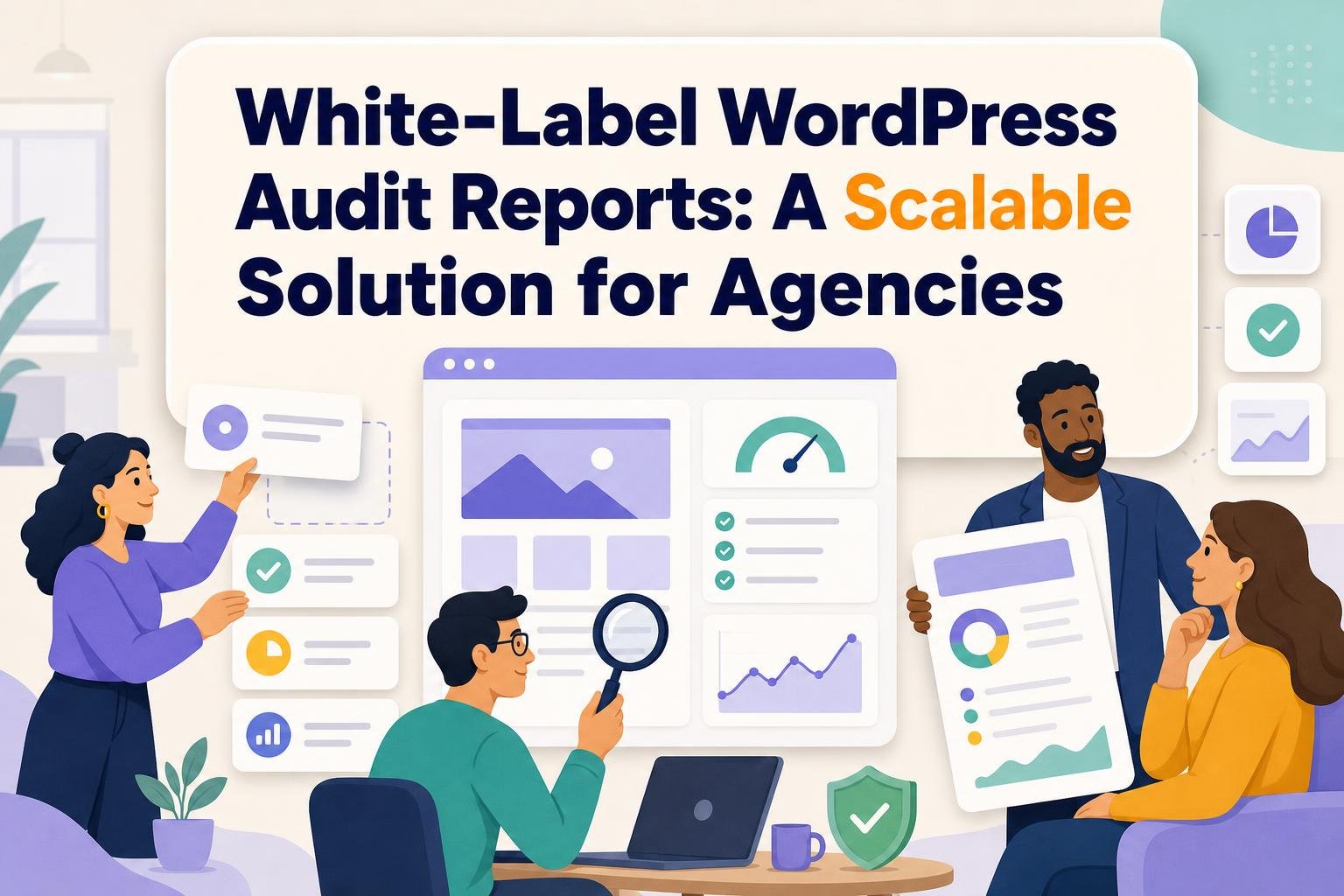
A prospect emails your agency on a Tuesday: "Can you audit our WordPress site before we sign?" You have two choices. Open twelve browser tabs and start pasting PageSpeed screenshots into a Google Doc, or send back a branded report by Thursday that reads like it came from a firm that does this every week. A white-label WordPress audit report solution is what makes the second option possible: software that runs the technical, SEO, performance, security, and accessibility checks automatically, then packages the findings in your logo, your colors, and your sender address so the client never sees the tool underneath.
That is the whole pitch, and it holds up. But the difference between a solution that scales an agency and one that adds another subscription line nobody uses comes down to specifics most landing pages skip. This guide covers what belongs in the report, how the white labeling actually works, what recurring delivery is worth, and roughly what you should expect to pay.
The short version
A white-label WordPress audit report solution automates site checks and outputs a client-ready document under your brand instead of the vendor's. Good ones cover WordPress environment (core, PHP, plugins, themes, page builders), technical SEO, Core Web Vitals, security scanning, and accessibility, then rank the findings into what to fix now versus later. The value multiplies when reports run on a schedule, turning a one-time audit into the backbone of a maintenance retainer. Expect qualified all-in-one platforms to run $170 to $290 a month with an agency pack, though WordPress-specialist tools sit lower.
Key takeaways
- The report is a sales asset first: a prospect snapshot leads into a full audit, then an implementation project, then recurring monitoring.
- WordPress-native depth beats a generic SEO score. Version, PHP, plugin, and page-builder intelligence is where agencies justify a retainer.
- White labeling only counts as complete when it includes custom domains and sender identity, not just a logo swap.
- Recurring reports are worth more than one-time PDFs because they track update status, backups, and compatibility drift over time.
- On an 800-page site, separate template-level findings from URL-level issues or the report becomes an unmanageable list.
- Automated security checks are not a penetration test, and saying so in the report protects your credibility.
What is a white-label WordPress audit report solution?
A white-label WordPress audit report solution is software that scans a WordPress site across technical categories and produces a branded, client-facing report with the vendor's identity removed and yours in its place. The client sees your agency; you skip the manual work of assembling the findings.
The word "white-label" is doing heavy lifting, and it is worth pinning down what separates a real one from a cosmetic one. A logo upload is the floor. What agencies actually need is control of the sender: a report that arrives from reports@youragency.com on your domain, in your color palette, with a disclaimer you wrote. Anything less and an observant client notices the seams.
There is also a category confusion worth clearing up, because the pages that rank for this term rarely do. A technical audit report and a maintenance activity report are not the same document. WordPress management plugins can email a monthly summary of updates you performed, but those are built for internal record-keeping and read like it. An audit report answers a different question: what is wrong with this site right now, how bad is it, and what should we do first. Agencies on r/Wordpress have flagged exactly this gap, wanting client-facing monthly reports and finding the built-in versions designed for their own eyes rather than the client's.
WordPress being the substrate matters here. It runs 40.2% of all websites and 58.8% of those with a known CMS, per W3Techs as of September 2026, which is why a WordPress-specific audit outperforms a generic crawler. A tool that understands the platform can read your plugin roster and PHP version; a generic SEO scanner just tells you the meta descriptions are short.
What does a WordPress audit report actually include?
A complete WordPress audit report covers nine areas: an executive summary, the WordPress environment, technical SEO, Core Web Vitals, security and resilience, accessibility, AI-search readiness, a prioritized action list, and branded delivery. The environment section is what makes it WordPress-native rather than a generic web audit.
Start with the executive summary, because it is the only page most clients read in full. It should state the site's overall condition in plain language and point to the three most urgent items. The technical detail lives behind it for whoever on the client side actually implements.
The WordPress environment section is the one competitors leave thin. It should report core version, PHP version, active plugins and themes, the page builder, any ecommerce platform, update status, backup presence, and compatibility risk. This is not filler. Elementor runs on 31.5% of WordPress sites and WooCommerce on 19.8%, according to W3Techs, and both materially change how a site performs and what breaks on an update. A report that names them is a report the client trusts.
Tip: Group every finding into three buckets: fix now, next sprint, ongoing monitoring. Clients do not want a 40-page technical dump. They want to know what to do Monday. This grouping also maps cleanly onto a scope of work, which is how a $500 audit becomes a $2,000-a-month retainer.
For security, scope your language carefully. An automated scan checks for known vulnerabilities, missing security headers, outdated components, and exposure signals. It is not a penetration test, and presenting it as one is how agencies lose credibility. Say plainly in the report that findings come from automated checks and recommend manual review where the stakes warrant it. Wpaudit's vulnerability scans and health checks sit in this category, and the disclaimer belongs in the template so it appears every time without anyone remembering to add it.
Accessibility deserves the same honesty. Automated checks catch a meaningful slice of problems but not all of them. Color contrast is a good example of what automation does catch well: an arXiv study of 240 homepages from the 500 most-crawled domains found that 40.9% of unique color pairings failed the WCAG normal-text contrast threshold. That is a research sample, not a WordPress-wide figure, but it shows how common a mechanically detectable issue can be. Report it with the specific failing pairs, not a vague "accessibility needs work."

How does version fragmentation become a service?
WordPress version spread across the install base gives agencies a repeatable way to classify a client's upgrade risk. As of September 2026, W3Techs measured 62.6% of WordPress sites on version 7, 30.4% still on 6, and 4.8% on 5. That distribution is a built-in prioritization framework.
Here is the classification I'd defend, call it the upgrade-exposure ladder: current major branch (running 7.x), supported but behind (a point release or two back), behind on a major version (still on 6.x), and legacy (on 5.x or older). WordPress 7.0 reached stable release on May 20, 2026, and 7.1 followed on August 19, with 7.1.2 listed as the latest on September 22, per the WordPress.org release archive. A client sitting on 6.9 from December 2025 is not in crisis, but they are one branch behind and drifting.
The reason this converts is that version status changes every month. A one-time PDF captures a moment; a recurring report captures the trend, and trends are what retainers are sold against. When a client sees their exposure classification move from "supported but behind" toward "behind on a major version" across three reports, the maintenance conversation writes itself. This is the strongest argument for recurring delivery over a single deliverable, and it is where a WordPress maintenance audit earns its place in the stack.
Can reports be branded, scheduled, and delivered without client logins?
Yes to all three, and the delivery question matters more than agencies expect. A complete solution lets you brand the report with logos and colors, send it from your own domain and sender address, schedule it monthly or weekly, and deliver it as a PDF, an HTML web report, or a client-portal view. Clients should never need WordPress credentials to read one.
That last point trips up teams evaluating options. If viewing the report requires the client to log into WordPress or the vendor's own platform, it is not really client-ready. The report should reach the client the way any other deliverable does: an email they open, a PDF they forward to their boss, a link that works without an account. One agency on r/WebsiteInsights described rotating through white-label tools because manually pasting screenshots into documents was eating too many hours. The fix is not a better tool for pasting screenshots. It is a tool that generates the finished document.
Scheduling is where the labor savings compound. Set a monthly cadence across every client site once, and the reports go out on the first of the month without anyone touching them. For an agency running twenty retainers, that is the difference between a full day of report assembly and zero.
What does it cost, and what should agencies compare?
White-label WordPress audit report tooling ranges widely because two different product categories compete for the same search. All-in-one SEO platforms bundle auditing into a larger suite; WordPress-specialist tools focus on the platform and price lower. Here is what the all-in-one route costs in practice.
| Configuration | Monthly billing | Annual billing (per month) | What you get |
|---|---|---|---|
| SE Ranking Core | $129 | $103.20 | 10 projects, 250k audit pages/mo, 10 reports, 2,000 tracked keywords |
| SE Ranking Growth | $279 | $223.20 | 30 projects, 2M audit pages/mo, 30 reports, 5,000 tracked keywords |
| Agency Pack (add-on) | $69 (annual) | $69 | 30 client seats, white-label platform and reporting, unlimited scheduled reports |
| AI Search (add-on) | $89 | $71.20 | Visibility across AI Overviews, AI Mode, Perplexity, ChatGPT |
| Core + Agency Pack | $198 | ~$172.20 | Entry white-label configuration |
| Growth + Agency Pack | $348 | ~$292.20 | Higher-volume white-label configuration |
All figures come from SE Ranking's 2026 pricing page. The pattern to notice: white labeling is almost always an add-on, not a base feature, so the sticker price on the main plan understates what an agency actually pays. Budget for the agency pack from the start.
The comparison criteria that matter, in the order I'd weight them: audit depth (does it read the WordPress environment or just crawl the front end), delivery flexibility (custom domain and sender, not just a logo), recurring scheduling, scalability on large sites, and total cost including the white-label add-on. A generic tool that returns a fast summary score fails the first criterion regardless of price. WordPress-specialist options like Wpaudit's Lifetime Lite plan, a one-time purchase covering all audit categories with scheduled scans and data export, change the math for budget-conscious agencies by removing the monthly line entirely.
A worked example: onboarding an 800-page site
An agency wins a prospect running an 800-page WooCommerce store on WordPress 6.9. On r/TechSEO, agencies handling sites this size worry about producing an unmanageable list of findings, and that worry is correct. Run a naive crawl and you get 800 URLs each with a dozen issues, which is 9,600 line items no client will read.
The scalable approach separates template-level findings from URL-level ones. The product template repeats across 600 pages, so a single missing structured-data field is one finding affecting 600 URLs, not 600 findings. Filter the report by severity, page type, and technology, and the 9,600 collapses into maybe 40 real issues.
The environment scan reads the situation in seconds: core on 6.9 (behind on a major version, since 7.1 shipped in August 2026), WooCommerce 19.8% of the ecosystem so well-supported, Elementor as the builder with its known performance cost. The prioritized output: fix now (the version upgrade plus two security-header gaps), next sprint (the template structured-data fix and Core Web Vitals on product pages), ongoing monitoring (monthly version and backup checks). That last bucket is the retainer, and it is why the free prospect snapshot was worth running.
Bottom line
A white-label WordPress audit report solution earns its keep when it does three things a spreadsheet cannot: read the WordPress environment specifically, deliver a branded report from your own domain without client logins, and run on a schedule so one audit becomes a recurring relationship. Weigh options on audit depth first and price second, budget for the white-label add-on that platforms charge separately, and scope automated security and accessibility checks honestly in every report. The agencies that scale are the ones treating the report as the first step of a sales funnel, not the last deliverable of a project. See how a white-label agency audit fits that funnel.
Frequently asked questions
What is a white-label WordPress audit report solution?
It is software that scans a WordPress site across technical SEO, performance, security, and accessibility, then outputs a client-facing report carrying your agency's brand instead of the vendor's. The client sees your logo, colors, and sender address. You skip the manual assembly. The best solutions read WordPress-specific data such as core version, PHP, plugins, and page builders, which a generic web crawler cannot.
Do clients need WordPress credentials to view the report?
No. A properly client-ready report reaches the client as a PDF, an HTML web report, or a portal link that works without any account. If viewing requires logging into WordPress or the vendor's own dashboard, the tool is not truly white-label. Delivery should mirror any other agency deliverable: an email they open and can forward to their own stakeholders.
How much do white-label WordPress audit reports cost?
All-in-one SEO platforms with white-label features run roughly $170 to $290 a month once you add the agency pack. SE Ranking's Core plus Agency Pack came to about $172 a month on annual billing in 2026, with Growth plus the pack near $292. WordPress-specialist tools price lower, and one-time lifetime plans remove the monthly cost entirely. Budget for the white-label add-on, which platforms usually charge on top of the base plan.
Can audit reports be scheduled for recurring delivery?
Yes, and this is where the real value sits. Set a monthly or weekly cadence once across all client sites and reports send automatically. Recurring reports track version drift, update status, backups, and compatibility risk over time, which a one-time PDF cannot. That trend data is what turns a single audit into a maintenance, security, or performance retainer.
How do you audit a WordPress site with hundreds of pages?
Separate template-level findings from URL-level issues. A single problem in a product template that repeats across 600 pages is one finding, not 600. Filter the report by severity, page type, and technology so the raw scan collapses into a manageable list of real issues. Without this separation, an 800-page site produces thousands of line items no client will read.
Is an automated security scan the same as a penetration test?
No. Automated scans check for known vulnerabilities, missing security headers, and outdated components. They do not simulate an attacker the way a manual penetration test does. Always scope automated findings clearly in the report and add a disclaimer stating the limits. Presenting an automated scan as a full security audit risks your credibility and the client's trust when something the scan missed later surfaces.
Related Reading
- Parameter vs WordPress Audit: Key Differences for Site Owners
- 7 Best WordPress Audit Tools for SEO, Security, and Performance in 2026
- WordPress Website Audit Pricing in 2026: What Businesses Should Expect
- Wpaudit vs Dedicated SEO Platforms: Which Delivers Better Site Insights?
- WordPress Audit vs Parameter: Which Website Analysis Approach Wins?
- WordPress Audit Tool: SEO, Security & Performance
- Features – Ultimate WP Audit
Free A free-forever plan for trying WP Audit with basic WordPress auditing capabilities.