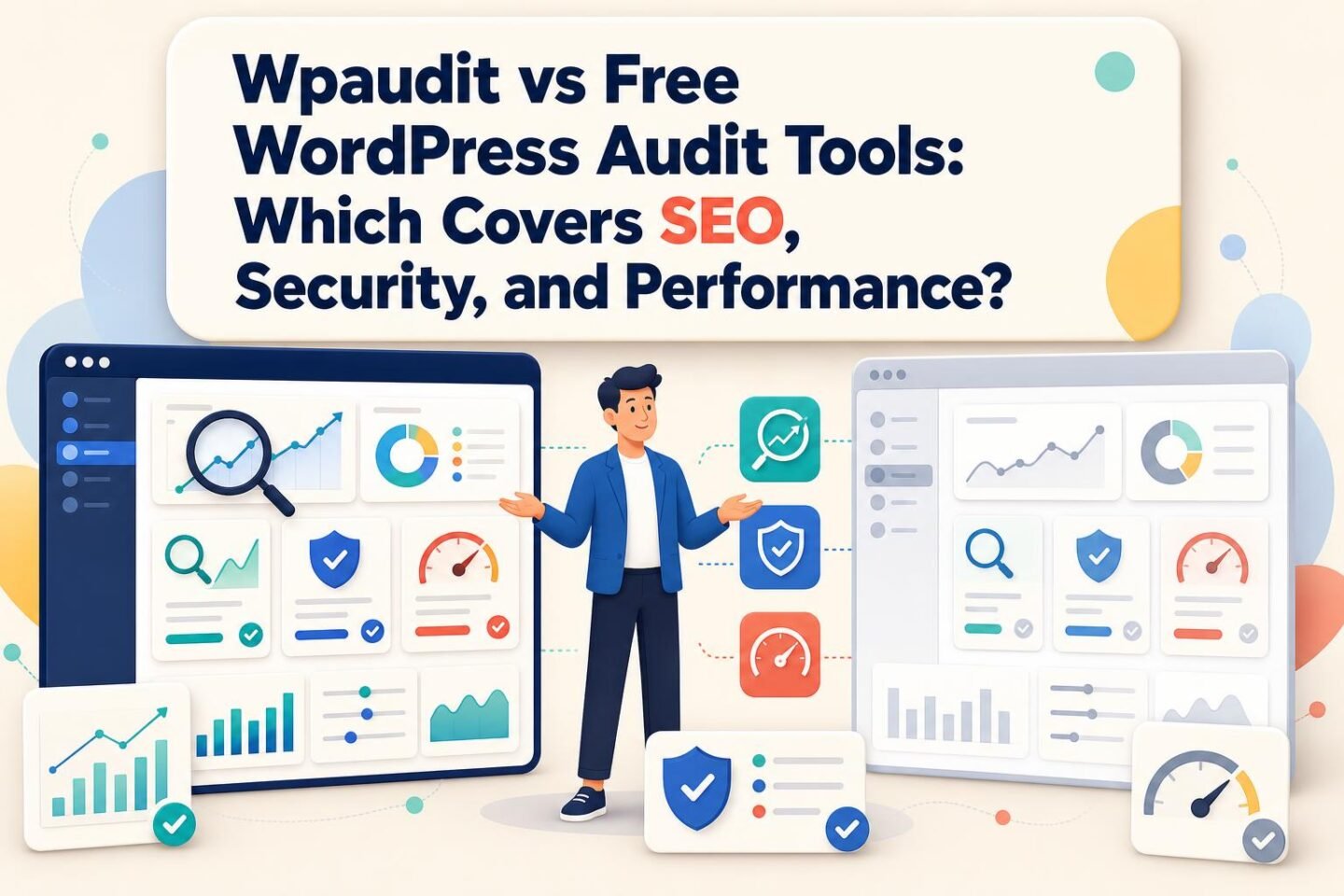
Open PageSpeed Insights on your homepage, then Google Search Console, then the security tab of whatever plugin your developer installed three years ago. You now have three scores, three vocabularies, and no idea which problem to fix first. That is the normal state of a WordPress site audited with free tools. No single free Google or SEO tool covers SEO, security, and performance together. The free options that do are WordPress-specific auditors, and we built WP Audit's free plan for exactly that first pass: one scan, all three signals, no backend access.
My position is simple. If you own one or two WordPress sites and need a baseline you can hand to leadership, start with an all-in-one WordPress auditor and keep Google Search Console running alongside it. If you already know which signal is broken, say crawl errors or a slow template, the free specialist tools go deeper than any integrated scanner. The paid SEO suites (Semrush, Ahrefs) earn their price only when SEO is your full-time job. Security is the gap most free stacks leave open, and it is the one most likely to become a leadership-level problem.
The short version
For a free audit that covers SEO, security, and performance in one report, use a WordPress-specific auditor such as WP Audit's free plan (2 sites, 7 scans a month, no credit card), then keep Google Search Console for Google's own indexing data. Lighthouse, PageSpeed Insights, and Screaming Frog's free tier each go deeper on one signal but leave security uncovered. Pay for Semrush or Ahrefs only if SEO research is a daily job.
Why "free" usually means three tabs
The free WordPress audit most teams run is a stitched workflow. Search Console reports what Google sees: queries, indexing and coverage, Search performance, and field Core Web Vitals. It will not crawl your site on demand, and it does not look at plugins. Lighthouse, the engine behind PageSpeed Insights, runs a lab test on a single URL and grades performance, accessibility, best practices, and basic SEO. It is excellent at telling you why one page is slow. It tells you nothing about the other 400 pages. GTmetrix and Pingdom sit in the same single-page speed-testing lane.
Then there's crawling. Screaming Frog SEO Spider crawls up to 500 URLs free, and paid licences start at $259 a year, per Zapier's roundup of SEO audit tools. It finds redirect chains, broken links, duplicate titles, and thin metadata faster than anything else on this list. SEOptimer produces a quick scored report on a single URL. Rank Math, an SEO plugin, flags on-page issues inside the editor.
Call the cost of combining them the stitching tax: every hour spent exporting from three tools, reconciling their severity labels, and deciding whether a Lighthouse "poor" matters more than a Search Console coverage warning. For a marketing lead who already gets vague recommendations from developers and SEO vendors, the stitching tax is the real price of a free stack. The software costs nothing. Turning its output into a ranked list of what to fix first costs a Friday afternoon every month.
On r/SEO, practitioners keep asking how to structure a first-pass audit in 2026. The question behind the question is almost always prioritization, which no single-signal score answers.
Security is the slice free SEO tools skip
Every tool in the previous section can give a site a clean bill of health while it runs a plugin with a published exploit. That matters because the attack surface on WordPress is overwhelmingly third-party code. Wordfence counted 8,223 WordPress vulnerabilities disclosed in 2024, according to its 2024 Annual WordPress Security Report. That was a jump of roughly two-thirds over the year before.
The same report puts plugins at 96% of those disclosures. Core WordPress is rarely the weak point. The contact-form add-on nobody has updated since the redesign is.
Wordfence's own telemetry shows how much automated traffic probes for those weaknesses. The company says it blocked and logged more than 54 billion malicious requests in 2024, plus more than 55 billion password attacks. Cross-site scripting attempts ran to about 9 billion and SQL injection to 1.1 billion in the vendor's count. Treat these as one vendor's numbers from its own network, but the direction is clear: the scanning never stops.
Core version is part of the picture too. The WordPress security team states that only the latest version is officially supported, with critical fixes backported to older releases as a courtesy, and security updates for versions 4.1 through 4.6 ended in July 2025 (WordPress.org). A site stuck on an old branch after a stalled migration is a finding that belongs in any audit, and no speed test will surface it.
Community discussion lines up with this. Threads on r/ProWordPress keep circling hacked sites, injected spam links, and malicious redirects, the kind of damage that shows up first as an SEO problem and turns out to be a security one. On r/WordpressPlugins, users building free security auditors emphasize file scanning and integrity baselines, a sign that experienced WordPress people separate deep security auditing from the surface-level header checks bundled into SEO tools.
Warning: A security score is not a vulnerability assessment. Before you trust any broad audit tool, check what it actually tests: plugin versions against known CVEs, authentication exposure, file integrity, backups, API endpoints, and server configuration. A scanner that can't see a category can't clear it.
How we judged every option
The criteria follow the job a mid-market marketing team actually has: produce an independent baseline across SEO, security, and performance, then re-run it after changes. Five tests, applied to every option including ours:
- Does one run cover SEO, security, and performance?
- Are the checks WordPress-specific (plugins, core version, WordPress configuration), or generic web checks?
- What does setup demand: a plugin install, server credentials, or nothing?
- Does it keep history and produce a report someone else can read?
- What does it cost at the number of sites you run?
On the first test, only the WordPress-specific auditors pass. WP Audit's free plan checks security, performance, SEO, and accessibility across 5 audit categories; the paid plans open all 18. AuditZap's free audit, by its own description, covers 40 checks across on-page SEO, technical health, and performance, with prioritized findings and one AI-written fix. That is a good consolidated SEO-and-speed report, and security sits outside its stated scope. Search Console, Lighthouse, and Screaming Frog each pass for one signal.
On setup, WP Audit and AuditZap both work from the outside with no plugin. That is the right trade for an independent baseline, because you are not asking the agency that built the site to install the tool that grades it. The trade-off cuts the other way too, and I'll come back to it.
On history and reporting, the free tools diverge sharply. Search Console keeps 16 months of performance data but produces no audit report. Lighthouse keeps nothing between runs unless you save the JSON. WP Audit's free plan keeps 7 days of scan history, enough to confirm a fix and too short to show a trend to your CMO.
What living with each option feels like
With the Google-plus-crawler stack, a normal month looks like this. You check Search Console for coverage drops, paste your top five landing pages into PageSpeed Insights, and run Screaming Frog when a migration or content push makes you nervous. It works if you are disciplined. What usually happens is the quarterly check slides to twice a year, and the one plugin with a published vulnerability sits unpatched because nothing in the stack was looking at plugins.
With an all-in-one WordPress auditor, the month is shorter. One scan, one findings list, SEO, security, and performance issues sorted into the same view. The report doubles as the brief you send to your developer, which answers the "our agency says the site is fine" problem better than any argument: you hand over a dated list and ask which items they dispute. WP Audit's reports are built for that handoff, and on the top plan they come white-labelled for agencies delivering them to clients. See how a full pass is structured in our guide to auditing a WordPress website.
With Semrush or Ahrefs, the audit is one feature inside a research suite. You get site auditing plus keyword data, rank tracking, and backlinks. For an SEO team that lives in those tools, the audit comes along with a subscription they already justify. For a marketing lead who opens the dashboard once a month, it is an expensive way to get a crawl report.
With Jetpack, the experience shifts from auditing to protection. Its product line spans continuous security, backups, malware scanning, CDN delivery, performance, search, and statistics, and the scale is large: Jetpack's newsroom reports 252.3 billion brute-force attacks blocked cumulatively, alongside 1.2 billion backups completed. Those are lifetime totals from the vendor, not yearly figures. Jetpack keeps a site safe day to day. It does not hand you a prioritized SEO audit.

Where the specialists beat us
Fairness requires saying this plainly: an integrated scanner trades depth for breadth, and on several jobs a specialist wins outright.
Screaming Frog beats WP Audit on technical crawling. If you need every redirect chain across a 20,000-URL site, or a custom extraction of schema from product pages, the crawler is the right tool, and the free tier is enough for most sites under 500 URLs.
Search Console beats every third-party tool on one thing no one else can offer: Google's own data. Indexing status, the queries people actually searched, and field Core Web Vitals from real Chrome users come from the source. No external scanner, ours included, replaces it. Keep it on permanently.
WPAuditLab beats any broad auditor on plugin security, because that is the whole product. Its Core plan runs $300 a month for 300 credits, with surface mapping, validated findings, customer-ready reports, and retest tracking; Pro is $500 for 700 credits and Enterprise $900 for 1,500. That is a security-assessment workflow for teams shipping or vetting plugins, not a free alternative to an SEO checker, and the price reflects it.
There's also a limit built into how WP Audit works. Because it needs no backend credentials, it sees what the site exposes to the outside world. Server configuration behind the firewall, the contents of your backups, and database health are things an external scan can flag signals about but cannot confirm from inside. If your worry is "are our backups actually restorable," you need your host or a plugin with server access to answer it.
Working the bill for a real portfolio

Take a concrete case. A mid-market software company runs its main marketing site, a product-docs site, and a regional microsite, all on WordPress. The marketing lead wants a weekly scan of each, a PDF to forward to leadership, and a record that shows whether things are improving.
Three sites scanned weekly is about 13 scans a month. WP Audit's free plan covers 2 sites and 7 scans, so it fails the scenario on both counts. Lifetime Lite, at $59 once, covers 10 sites and 60 scans a month, adds scheduled scans, PDF and email reports, and 30 days of history. The first-year cost is $59, and every year after is zero. The honest weakness: Lite does not include white-label reports, so an agency putting its own logo on deliverables needs the full plan.
Now the paid-suite route for the same three sites. Semrush starts at $139.95 a month, which is $1,679.40 over a year. Ahrefs starts at $129 a month, or $1,548 a year. Both buy you far more SEO research than an audit tool, and neither covers WordPress plugin security, so you would still need a security scanner on top.
Scale it to an agency with 25 client sites. Lite's 10-site cap is out. WP Audit's Lifetime plan is $199 once for up to 999 sites and 999 scans a month, with white-label reports, bulk scanning, and 365 days of history. WPAuditLab's Core plan alone is $3,600 a year for plugin assessments. Screaming Frog's paid licence adds $259 a year per seat for crawling beyond 500 URLs.
For most teams, renewal-month math decides this. A subscription has to re-justify itself every billing cycle; a lifetime licence justifies itself once. That favors the lifetime model when the audit is a recurring baseline, and it favors a subscription when the tool is also your research workbench.
Tip: Before you pay for anything, count your scans. Sites multiplied by scan frequency is the number that decides which plan (or which free tier) actually fits. Most teams underestimate it by forgetting staging sites and post-release re-scans.
The muddy middle
Some situations break the clean either-or.
"We already do quarterly checks with Search Console, PageSpeed Insights, and our plugins." That is a real workflow, and for a single low-risk brochure site it may be enough. The gap is timing. With Wordfence tracking a disclosure rate in the thousands per year, a quarter is a long window for a plugin vulnerability to sit unpatched. A free all-in-one scan monthly, between the quarterly deep checks, closes that window at no cost.
"Our agency says the site is fine." Then an independent baseline costs them nothing to defend. Run the free WordPress website audit, send the findings, and ask which ones are false positives. A good agency answers in a day.
"The scan flags things we can't verify." Sometimes it will, especially around server environment and backups. Treat those as questions for your host rather than verdicts. The findings that matter most, outdated plugins, core version, missing security headers, slow templates, broken metadata, are all verifiable from the outside.
The site is huge and SEO-heavy. Then the crawler and a suite belong in the stack regardless, and the WordPress auditor's job narrows to security and WordPress-specific configuration. For that narrower job, the WordPress security audit and WordPress performance audit pages break down what gets checked.
The recap
| Option | Best for | Typical cost |
|---|---|---|
| WP Audit Free | First-pass baseline across SEO, security, performance on 1-2 sites | Free |
| WP Audit Lifetime Lite | In-house teams with up to 10 sites needing scheduled scans and PDF reports | $59 one-time |
| WP Audit Lifetime | Agencies needing white-label reports and bulk scanning at scale | $199 one-time |
| Google Search Console | Google's own indexing, query, and field Core Web Vitals data | Free |
| Google Lighthouse / PageSpeed Insights | Diagnosing why one specific page is slow | Free |
| Screaming Frog SEO Spider | Deep technical crawling, redirects, metadata | Free to 500 URLs; from $259/year |
| AuditZap | Quick consolidated SEO and performance report | Free audit; see site for paid |
| Semrush | Full SEO research suite with site auditing | Free option; from $139.95/month |
| Ahrefs | Technical SEO plus backlink and search research | From $129/month |
| WPAuditLab | Specialist plugin-security assessments | From $300/month |
| Jetpack | Ongoing protection, backups, and CDN | See site |
Which one I'd tell a friend to use
Choose the free specialist stack if you have one site, a clear idea of which signal is broken, and the discipline to run three tools on a schedule. Search Console plus Lighthouse plus Screaming Frog's free tier goes deeper on SEO and speed than any integrated scanner, and it costs nothing but time. Add a dedicated WordPress security scanner, because that stack has no view of your plugins, and plugins are where 96% of the disclosed risk lives.
Choose WP Audit if you need one report that covers SEO, security, and performance together, that you can forward to leadership or a developer without translating. Start on the free plan to see what it finds on your two most important sites. If the findings earn their keep, Lifetime Lite at $59 covers most in-house teams, and the $199 Lifetime plan is the right call for agencies that need white-label reports. Whichever you pick, leave Search Console switched on. That's the advice I'd give a friend: one integrated baseline, one Google source of truth, and a specialist only when a specific problem calls for one.
Frequently asked questions
What is the best free WordPress audit tool for SEO, security, and performance in 2026?
A WordPress-specific auditor is the only free option that covers all three in one scan. WP Audit's free plan checks security, performance, SEO, and accessibility on 2 sites with 7 scans a month and needs no credit card or backend access. Pair it with Google Search Console, which supplies Google's own indexing and search data that no third-party tool can replicate.
Can Google PageSpeed Insights or Lighthouse replace a full WordPress audit?
No. Lighthouse, which powers PageSpeed Insights, tests one page at a time for performance, accessibility, best practices, and basic SEO. It does not crawl your whole site and does not check plugins, core version, or vulnerabilities. Use it to diagnose why a specific page is slow, not as a site-wide audit.
Is Google Search Console enough to audit a WordPress site?
It is necessary but not sufficient. Search Console shows indexing, coverage, real search queries, and field Core Web Vitals, straight from Google. It is not an on-demand crawler and performs no WordPress security checks, so outdated plugins and exposed configuration will not appear there. Keep it running and add a crawler or WordPress auditor.
Why do SEO audit tools miss WordPress security problems?
Most SEO tools check what search engines see: metadata, links, speed, structure. WordPress risk sits mostly in third-party code, and Wordfence found plugins accounted for 96% of disclosed WordPress vulnerabilities in 2024. Catching that requires checking plugin versions against known vulnerabilities, which general SEO crawlers and speed testers do not do.
Is a paid SEO suite like Semrush or Ahrefs worth it just for auditing?
Usually not. Semrush starts at $139.95 a month and Ahrefs at $129 a month, and much of that price pays for keyword research, rank tracking, and backlink data. If SEO research is a daily job, the audit comes bundled with value you already use. If you only need a recurring site audit, a lifetime WordPress auditor costs far less.
What can an external WordPress scan not check?
A scan that needs no backend credentials sees only what the site exposes publicly. It can flag outdated plugins, core version, security headers, speed, and SEO issues, but it cannot confirm server configuration behind your firewall, whether backups are restorable, or database health. Ask your host or use a tool with server access for those.
Related Reading
- 7 Best WordPress Audit Tools for SEO, Security, and Performance in 2026
- 9 Best WordPress Audit Tools for Faster, Safer Websites
- Wpaudit vs Dedicated SEO Platforms: Which Delivers Better Site Insights?
- Parameter vs WordPress Audit: Key Differences for Site Owners
- 11 SEO Audit Tools to Compare Before Choosing One
- 8 Best WordPress Security Audit Tools for Finding Hidden Threats
- Free SEO Audit Tools vs Paid Suites: Which Gives Better Results?
- Website Audit Buying Guide (2026): Costs, Scope, and Essential Features
- WordPress Audit Tool: SEO, Security & Performance
- Features – Ultimate WP Audit
Free A free-forever plan for trying WP Audit with basic WordPress auditing capabilities.