Parameter vs WordPress Audit: Key Differences for Site Owners
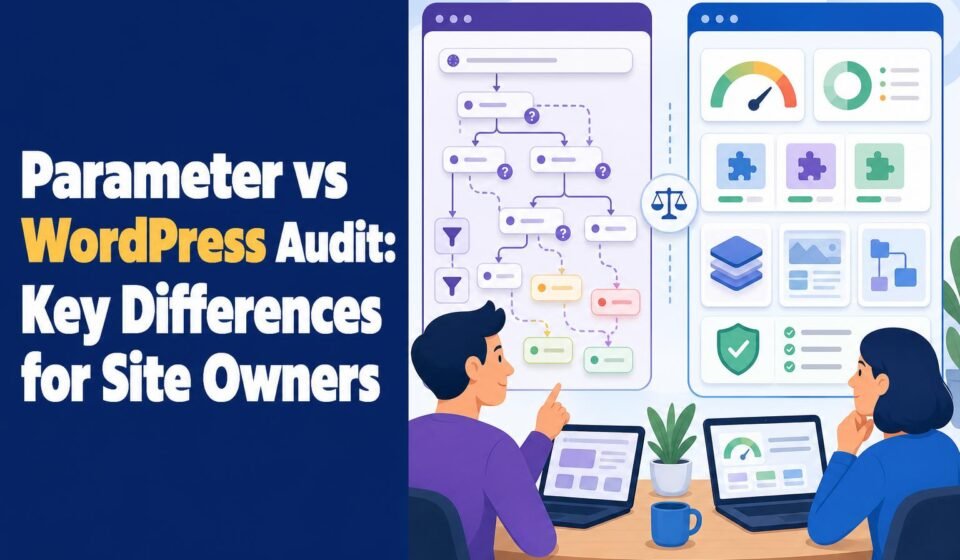
Here is the confusion worth clearing up before you spend a dime: "Parameter vs WordPress audit" pits two different kinds of things against each other. Parameter is a publisher, a content website. A WordPress audit is a process, or a tool that runs that process against a site. So the real question underneath the search is this: does your site need a platform-neutral audit, the kind that judges what visitors and search engines see, or a WordPress-specific audit that also inspects the software and admin controls running behind the page? If your site is a straightforward content or publishing site like Parameter, a general audit covers you. If it runs on WordPress, especially with plugins, users, and ecommerce attached, you need the WordPress-specific kind, and skipping it leaves real risk on the table.
That split, visible surface versus software supply chain, is the whole decision. I'll call it the two-layers problem, because most audit disappointments come from checking one layer and assuming you covered both.
The short version
A platform-neutral audit (the sort that fits a Parameter-style publisher on any CMS) evaluates crawlability, metadata, Core Web Vitals, accessibility, analytics, consent, and ad implementation. A WordPress-specific audit does all of that and adds core version, plugin and theme inventory, vulnerable extensions, admin privileges, XML-RPC and REST API exposure, PHP and hosting config, database bloat, backups, and ecommerce components. If your site is on WordPress, choose the WordPress audit. The general audit is fine only when there is no CMS-specific attack surface to worry about, which for a WordPress site is never.
Why "Parameter" belongs in this comparison at all
People type "parameter vs wordpress audit" because Parameter shows up in audit discussions as an example site, not because Parameter sells an audit product. As of 2026, Parameter's official site presents it as a news and content publisher, with no public audit plans or pricing. Treat it the way an auditor would: a well-run publishing site to be audited, not a rival tool.
That matters because it reframes the question honestly. For a Parameter-style publisher, the audit priorities are content quality, topical structure, search visibility, usability, accessibility, performance, analytics, consent, and how advertising is wired in. The CMS underneath decides whether you also need platform checks. If Parameter ran on a hosted builder like Duda or Squarespace, a general audit would be close to complete. If it ran on WordPress, the general audit would miss the layer where most trouble actually starts.
What each audit actually looks at
The cleanest way to see the gap is to line up the two scopes.
| Check area | Platform-neutral audit | WordPress-specific audit |
|---|---|---|
| Crawlability, indexation, canonicals | Yes | Yes |
| Metadata, headings, internal links | Yes | Yes |
| Core Web Vitals, mobile usability | Yes | Yes |
| Accessibility, analytics, consent, ads | Yes | Yes |
| WordPress core version and updates | No | Yes |
| Plugin and theme inventory, abandoned extensions | No | Yes |
| Admin accounts and privileges | No | Yes |
| XML-RPC, REST API exposure, file editing, debug mode | No | Yes |
| PHP version, hosting config, cron jobs | No | Yes |
| Database bloat, backups, caching, plugin conflicts | No | Yes |
| WooCommerce, membership, forms, payments | No | Yes |
A general crawler can read every page a WordPress site publishes and tell you your titles are duplicated or your images are unoptimized. What it cannot tell you is that the plugin generating those pages is two years abandoned and carries a known exploit. That is the line between the two layers.
The security reason this isn't a coin flip
If your site runs WordPress, the platform-neutral audit is not "the cheaper option." It is the incomplete one, and the numbers say so. Patchstack's State of WordPress Security 2026 report counted 11,334 new vulnerabilities in the WordPress ecosystem during 2025, a 42% jump over the previous year. A general SEO crawl sees none of them.
Where those flaws live is the part that should change how you audit. Roughly 91% of the vulnerabilities disclosed in 2025 came from plugins, per that same Patchstack report, not from WordPress core. So the single highest-value thing a WordPress-specific audit does, and a general audit cannot, is inventory your plugins and flag the abandoned or vulnerable ones. Worse, Patchstack found that about 46% of disclosed vulnerabilities had no patch available at the time of disclosure, which means "keep everything updated" is necessary but not sufficient. You also need to know which extensions to remove or replace.
Core itself is not immune. In July 2026, TechCrunch reported active exploitation of recently patched flaws affecting WordPress versions 6.9.0 through 6.9.4 and 7.0.0 through 7.0.1, with the project urging immediate updates. A version-check that takes a WordPress audit seconds is the difference between "patched" and "in the exploit window."
Warning: A platform-neutral audit of a WordPress site can come back clean on SEO and performance while the site is running an abandoned plugin with a public exploit. Clean surface, exposed supply chain. Never read a general audit as a security clearance for a CMS-based site.
What each one costs, worked through
Pricing here is genuinely uneven, so let's do a real scenario. Say you run a WordPress agency onboarding a new client and you want both layers covered before signing a retainer.
The general-audit route often centers on a crawler. Screaming Frog SEO Spider has a free version at £0 capped at 500 URLs, and a paid licence at £199 per licence per year. The paid tier adds JavaScript rendering, PageSpeed Insights integration, accessibility auditing, Search Console integration, and crawling with OpenAI and Gemini. For a content site under 500 URLs, the free tier can genuinely handle the SEO layer. For an 800-page client site, the sort auditors on r/SEO_Xpert describe struggling to structure, you are into the £199-a-year licence, and you still have zero coverage of plugins, admin accounts, or hosting config.
The WordPress software itself is free to download and use under its open-source licence. What you pay for sits around it: hosting, domains, premium themes or plugins, backups, and the audit tooling that inspects all of it. That is where a dedicated WordPress audit tool earns its place, because it covers the layer Screaming Frog structurally cannot.
WP Audit is our product, so weigh this with that disclosure in mind. Its free-forever plan runs automated checks across five audit categories on two sites with no credit card and no backend credentials, which is enough to pressure-test whether a site has obvious problems. The Lifetime Lite plan is a one-time $59 and opens all 18 audit categories, 10 sites, 60 scans a month, scheduled scans, and PDF export. The top Lifetime plan is a one-time $199, matching a single year of a Screaming Frog licence, but paid once, and it adds white-label reports, bulk scanning, 999 sites, and 365 days of history.
For the two-layer onboarding scenario, the honest total looks like this: a general crawler at £199/year plus a WordPress-specific tool for the CMS layer. Or a WordPress audit tool that already spans SEO, performance, accessibility, and security in one pass. The second is cheaper and closes the gap the first leaves open.
Where the general audit genuinely wins
I would not push a WordPress-specific audit on everyone, and there are real cases where the platform-neutral route is the right call.
If the site is not on WordPress, the CMS checks are noise. A Parameter-style publisher on a hosted builder gains nothing from plugin inventory scans, and the data backs the builder's own strengths: in the HTTP Archive Core Web Vitals report for November 2025, 84.87% of Duda origins passed all three Core Web Vitals, against 46.28% of WordPress origins. For a fast hosted site, a content-and-SEO audit is the whole job.
A dedicated crawler also wins on crawl depth and SEO diagnostics for very large sites. Screaming Frog's JavaScript rendering and Search Console integration go deeper on technical SEO forensics than most all-in-one WordPress tools, which is why SEO teams on r/SEO keep it in the stack even when they run WordPress. The right answer for a 40,000-URL WordPress site is often both tools, not one.
The muddy middle: custom code and one-time vs ongoing
Two situations break the clean either-or, and they come straight from what WordPress professionals actually ask.
The first is bespoke plugins. On r/Wordpress, owners running vendor-managed custom code worry about assessing code no scanner recognizes, and they are right to. Automated audits, ours included, compare against known vulnerability databases and configuration baselines. They flag exposure, outdated dependencies, and risky settings. They do not read your vendor's proprietary logic. When custom code handles payments, memberships, or user data, an automated scan is the starting point, and the finding to escalate. Any preliminary scan flagging real risk on ecommerce or auth code should move to authenticated testing or a penetration test, not stop at the report.
The second is the one-time-versus-ongoing question people raise on r/WordpressPlugins. A one-time audit answers "is this site healthy right now." Ongoing auditing answers "did last week's plugin update quietly break something." Scheduled scans and historical tracking, the reason Lifetime Lite keeps 30 days and Lifetime keeps 365, matter more for agencies maintaining a portfolio than for a single pre-launch check. If you audit once and never again, you are measuring a moving target with a still photo.
Reference recap
| Option | Best for | Typical cost |
|---|---|---|
| Platform-neutral audit (general checklist) | Non-WordPress or hosted-builder sites; content and SEO focus | Free to low |
| Screaming Frog SEO Spider | Deep technical SEO and crawl diagnostics on large sites | £0 free (500 URLs) / £199 per licence/year |
| WordPress software (self-hosted) | The CMS being audited, not an audit itself | Free (hosting/plugins extra) |
| WP Audit (our product) | WordPress owners and agencies needing both layers, white-label reports | Free plan / $59 lifetime / $199 lifetime |
How to choose
Choose a platform-neutral audit if your site is not on WordPress, or if your only open questions are about content, search visibility, accessibility, and speed on a hosted platform where you don't control the software stack. In that world you have no plugin supply chain to police, and paying for CMS-specific checks buys you findings that don't apply.
Choose a WordPress-specific audit if the site runs WordPress, full stop, and doubly so if it carries WooCommerce, memberships, forms, or plugins you did not write yourself. The 91% of 2025 vulnerabilities that traced to plugins are invisible to a general crawl, and a version check that catches an unpatched core release costs you seconds against an active exploit window. If a friend asked me which to run before signing a WordPress client, I'd tell them to start with the free WordPress audit, escalate anything touching payments or custom code to real testing, and treat the general crawler as the SEO companion, not the safety net.
Frequently asked questions
Is Parameter a WordPress audit tool?
No. As of 2026, Parameter's official site presents it as a news and content publisher, with no public audit product or pricing. In "parameter vs wordpress audit" searches, Parameter is best understood as an example of a site being audited, not as a competing tool. A Parameter-style publisher would need a content, SEO, accessibility, and performance audit, with platform-specific checks added only if its CMS requires them.
Can a general SEO crawler replace a WordPress security audit?
No. A crawler like Screaming Frog inspects pages, metadata, links, and technical SEO signals, but it does not examine WordPress core versions, plugin vulnerabilities, admin privileges, or hosting configuration. Patchstack's 2026 report attributed about 91% of 2025 WordPress vulnerabilities to plugins, none of which a page crawl detects. Use a crawler for SEO depth and a WordPress-specific audit for the software and admin layer. On a WordPress site you need both.
What does a WordPress audit check that a platform-neutral one doesn't?
The software and administrative layer: WordPress core version and update status, plugin and theme inventory, abandoned or vulnerable extensions, administrator accounts, XML-RPC and REST API exposure, file-editing and debug settings, PHP and hosting config, database bloat, cron jobs, backups, caching, and ecommerce or membership components. A platform-neutral audit stops at what users and search engines can see. The WordPress audit adds what runs behind the page.
How much does auditing a WordPress site cost?
The WordPress software is free under its open-source licence; you pay for hosting, plugins, and audit tooling. Screaming Frog SEO Spider is free up to 500 URLs, or £199 per licence per year for full features. WP Audit offers a free-forever plan, a $59 one-time Lifetime Lite covering all 18 categories, and a $199 one-time Lifetime plan with white-label reports and bulk scanning. Costs depend on site count and whether you want ongoing scans.
When should an automated audit be escalated to a penetration test?
Escalate when a preliminary scan flags real risk on components that handle payments, authentication, user data, or custom vendor code. Automated audits compare against known vulnerability databases and configuration baselines; they cannot fully evaluate bespoke logic. About 46% of vulnerabilities disclosed in 2025 had no patch available when disclosed, per Patchstack, so a clean automated result on custom code is not proof of safety. Treat the scan as the trigger for authenticated testing.
Do I need one-time or ongoing WordPress auditing?
Ongoing, if you maintain the site over time. A one-time audit captures health at a single moment, useful before launch or a client handoff. Ongoing auditing catches problems introduced by plugin updates, new content, or config drift. Scheduled scans and historical tracking (WP Audit keeps 30 days on Lifetime Lite and 365 days on Lifetime) let you see when something changed, which matters most for agencies managing multiple client sites.
Related Reading
- WordPress Audit vs Parameter: Which Website Analysis Approach Wins?
- Wpaudit vs Dedicated SEO Platforms: Which Delivers Better Site Insights?
- WordPress Website Audit Pricing in 2026: What Businesses Should Expect
- 7 Best WordPress Audit Tools for SEO, Security, and Performance in 2026
- WordPress Audit Tool: SEO, Security & Performance
- Features – Ultimate WP Audit
Free A free-forever plan for trying WP Audit with basic WordPress auditing capabilities.