
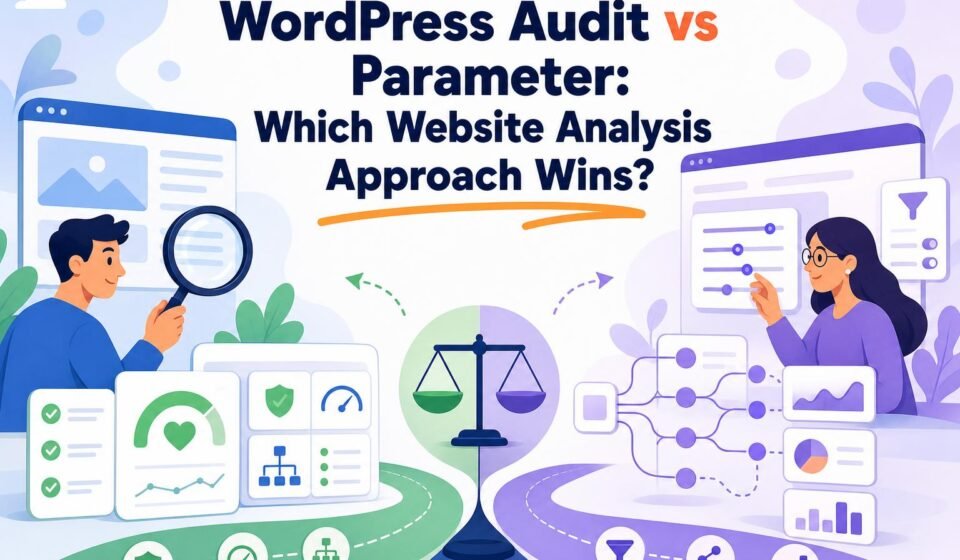
WordPress Audit vs Parameter: Which Website Analysis Approach Wins?
You are staring at a WordPress site with 800 pages, a redesign three weeks behind you, and a boss who wants proof the sites are being looked after. Do you run one deep audit that tells you everything wrong today, or do you wire up a handful of tracked metrics that tell you every day whether things are drifting? The honest answer: a full WordPress audit wins when you need to diagnose and fix, and parameter-based analysis wins when you need to watch and prove. If you run several sites and answer to someone, you eventually need both, in that order.
The short version
A WordPress audit is a broad diagnostic review across technical SEO, content, performance, security, plugins, themes, PHP, and configuration. It tells you what is broken, why, and what to fix first. Parameter-based analysis is narrower: you pick metrics like Core Web Vitals, uptime, status codes, plugin versions, or vulnerability status, set thresholds, and monitor them on a schedule. Use the audit for one-time root-cause work and remediation planning. Use parameters for continuous measurement, benchmarking, and alerts. The strongest setup runs the audit first, turns its top findings into parameters, and re-audits after major changes.
One clarification worth making up front, because it shapes the whole comparison: "Parameter" is not a named product or a recognized rival methodology. In this piece it means parameter-based analysis, the practice of scoring selected variables against targets. That distinction matters, because the real decision is not tool A versus tool B. It is a question of scope.
What each approach actually feels like to run
A WordPress audit is a project. You crawl the site, read the results, and interpret them. You notice that a slow product template and a bloated plugin and an outdated PHP version are the same story, and you write that story down as a prioritized fix list. Practitioners on r/TechSEO describe the hard part exactly this way: someone auditing an 800-plus-page travel site asked how to do the work without producing an unmanageable pile of issues. That is the audit's tax. It surfaces everything, and someone has to decide what matters.
Parameter-based analysis feels different day to day. You set up a dashboard, define your thresholds, and then mostly ignore it until something crosses a line. Largest Contentful Paint over 2.5 seconds. A plugin one version behind a security patch. A 500 on a page that returned 200 yesterday. The checks are cheap to repeat and easy to compare over time, which is their whole point. What they will not do is explain the interaction between three green metrics that still add up to a bad user experience.
Here is a label worth keeping: the snapshot-versus-tripwire split. An audit is a snapshot, rich and slow and interpreted once. Parameters are tripwires, thin and fast and fired continuously. Confusing the two is how teams end up with a beautiful uptime dashboard and no idea why their organic traffic fell off a cliff after a theme update.
The money, worked for one real scenario
Say you run 12 WordPress sites for a mid-sized nonprofit and your director wants monthly proof the sites are healthy. Price the two approaches honestly.
For continuous parameter monitoring at that scale, a platform like Ahrefs is a common choice because it bundles Site Audit with crawling and tracked keywords. Ahrefs Lite runs $129 per month as of 2026, but it caps you at 5 projects, so 12 sites do not fit. Standard, at $249 per month, covers 20 projects with 500,000 monthly crawl credits and 2,000 tracked keywords, which does fit. Over a year that is roughly $2,988. Want client-ready reporting on top? Ahrefs lists Report Builder at $99 per month, pushing the annual figure toward $4,200. The Ahrefs pricing page is the place to confirm these before you commit, since plans shift.
Now the audit side. WordPress itself is open-source and free; the cost of a WordPress site lives in hosting, premium plugins, backups, CDN, and third-party audit tools, not in a license. A dedicated audit tool built for WordPress specifics is priced very differently from a full SEO suite. WP Audit (our own tool, disclosed) sells a Lifetime Lite plan at $59 one time, covering 10 sites, 60 scans a month, all 18 audit categories, PDF export, and scheduled scans. Its Lifetime plan at $199 one time lifts that to 999 sites and 999 scans with white-label reports and 365-day history. For 12 nonprofit sites, the $199 one-time plan undercuts a single year of Ahrefs Standard by more than $2,700, and it keeps going next year at no additional cost.
The catch, stated plainly: that comparison is not apples to apples. Ahrefs buys you backlink data, competitor research, and keyword tracking that a focused WordPress auditor does not. If your job is SEO growth and rank tracking across a portfolio, the crawl credits and keyword allowances justify the monthly bill. If your job is proving 12 sites are patched, fast, and not exposing a vulnerable plugin, you are overpaying for research you will not use.
Tip: Compare audit platforms on crawl credits, page limits per project, project counts, recrawl frequency, historical-data depth, and API or export access, not headline price. Ahrefs' Lite, Standard, and Advanced tiers carry 100,000, 500,000, and 1.5 million monthly crawl credits respectively, and that ceiling matters far more than the sticker on a large site.
Where parameter-based analysis genuinely wins
The audit is not always the right answer, and pretending otherwise gets pages ignored. Parameter monitoring wins outright for three jobs.
First, proving change worked. You cannot demonstrate that a caching fix helped by re-reading a diagnostic report; you demonstrate it by watching LCP drop below your threshold and stay there for 30 days. Parameters are how you show cause and effect over time.
Second, catching drift before users do. Multi-site operators lose sleep over the plugin vulnerability, unauthorized admin change, or broken backup that nobody notices until a complaint lands. A tripwire on plugin version, file integrity, or backup status fires the moment something slips, which a quarterly audit never will. Measurable checks can flag plugin versions, known vulnerabilities, file changes, and exposed logs on a schedule.
Third, scale reporting. When the audit trail otherwise lives in tickets, emails, and someone's spreadsheet, a parameter scorecard gives you one consistent view across every site. That consistency is the whole reason dashboards exist, and it is the one thing a slow, interpreted audit is bad at.
The context for why this coverage keeps growing: WordPress powers 40.2% of all websites and 58.8% of those with a known CMS, per W3Techs' August 2026 data. A 2026 arXiv study called "Plug 'n' Pray" examined the 300 most-installed plugins, roughly 250 million active installations and about three-quarters of the official plugin ecosystem. That surface area is exactly what continuous parameter checks were built to watch.

The muddy middle: what neither label tells you
The comparison that page-one guides skip is not audit versus parameters at all. It is the four very different things people call a "WordPress audit," and they carry wildly different scope, confidence, time, and cost.
| Approach | What it can confirm | Best for |
|---|---|---|
| Lightweight external audit | Public-facing signals: speed, indexability, HTTPS, headers, visible plugin versions | Fast triage, prospect reports, no credentials needed |
| Authenticated technical audit | wp-admin settings, update status, user roles, configuration | Sites you control and can log into |
| Dedicated security audit | File integrity, vulnerability status, activity logs, exposed files | Proving a site is hardened after an incident |
| Full penetration test | Exploitable weaknesses under active attack conditions | Compliance, high-risk sites, formal risk review |
This matters because of a real objection: an external tool cannot see your wp-admin settings, server logs, WAF rules, database health, or backup integrity. That is true, and any honest audit vendor will say so. An external WordPress audit confirms what is publicly observable and infers the rest. It will not validate that your last backup actually restores. For that you need authenticated access or a manual review, and no dashboard replaces it.
Practitioners on r/WordpressPlugins make the same distinction, separating security auditing from general SEO analysis and asking for deeper checks like file scanning, integrity validation, and baseline comparisons. That is the authenticated and security tier of the table, not the lightweight one, and buyers who conflate them end up disappointed by whichever tool they picked.
Warning: "We already have a managed host or a security plugin" is only a partial answer. Managed hosting and plugins handle live defense; they rarely produce a portable, dated audit trail across your whole portfolio. If a compliance or risk review asks for proof of oversight, live defense is not the same as documentation.
The workflow that actually resolves the argument
Stop treating this as either-or. The strongest setup runs both in sequence, and the sequence is the point.
Run a broad WordPress audit first, across technical SEO, performance, security, and configuration, to find what is wrong and why. Then convert the findings that matter into measurable parameters: the LCP target, the plugin-version threshold, the status-code alert, the vulnerability check. Monitor those continuously. Then re-run the full audit after the events that break your assumptions: a redesign, a major release, a security incident, or a sharp traffic change.
Why re-audit on those triggers specifically? Because parameters only watch what you already told them to watch. A redesign introduces variables your old dashboard never tracked. WordPress's own reported share slipped from 43.2% in December 2025 to 41.9% by late May 2026, per Search Engine Journal citing W3Techs, a reminder that the platform and its plugin ecosystem keep moving. Your parameter set from last quarter can quietly go stale, and only a fresh audit catches the blind spot.
Users on r/Wordpress frame ongoing improvement as broader than SEO: content, UX, and design all in scope, and they want a method for deciding what to improve. The audit-then-parameters loop is that method. The audit decides. The parameters measure whether the decision held.
Reference recap
| Approach | Best for | Typical cost (2026) |
|---|---|---|
| Full WordPress audit (dedicated tool) | Diagnosis, root cause, remediation priorities across plugins, themes, config | WP Audit Free $0; Lifetime Lite $59 one-time; Lifetime $199 one-time |
| Parameter-based analysis (SEO suite) | Continuous monitoring, benchmarking, rank tracking, alerts | Ahrefs Lite $129/mo; Standard $249/mo; Advanced $449/mo |
| Lightweight external audit | Fast triage without credentials | Often free or bundled |
| Hybrid (audit then monitor) | Multi-site operators needing both fix and proof | Audit tool + monitoring tier combined |
Semrush is also a credible Site Audit and monitoring platform in this category; verify its current plan pricing directly, since a reliable table was not available at the time of writing.
The call I would make
Choose the full WordPress audit if your immediate problem is a mess you need to understand: a slow or exposed site, an incident to explain, a portfolio you inherited with no baseline. It tells you what is wrong, why, and what to fix first, and for pure WordPress diagnosis across 18 categories a dedicated tool like WP Audit costs a fraction of a general SEO suite. Start there when the question is "what do I fix."
Choose parameter-based analysis if the diagnosis is done and the job now is proof: continuous monitoring, benchmarking against targets, and alerts when something drifts. If SEO growth and competitor research are also on your plate, an Ahrefs tier earns its monthly fee through crawl credits and keyword tracking. If I were advising a friend running a dozen WordPress sites for a nonprofit or a franchise, I would tell them to audit once, hard, turn the top findings into a short list of tripwires, and re-audit after every redesign or incident. That order, audit first, monitor second, re-audit on triggers, wins more often than either approach picked alone.
Frequently asked questions
What is the difference between a WordPress audit and parameter-based analysis?
A WordPress audit is a broad diagnostic review across technical SEO, content, performance, security, plugins, themes, PHP, and configuration that explains what is wrong and why. Parameter-based analysis is narrower and measurement-driven: you pick metrics like Core Web Vitals, uptime, or plugin versions, set thresholds, and monitor them continuously. The audit diagnoses and prioritizes fixes; parameters prove whether changes worked and alert you to drift.
Is "Parameter" an actual audit product?
No. Parameter is not a recognized standalone product or competing methodology. In this comparison it refers to parameter-based analysis, the practice of scoring selected variables against targets and thresholds. The real decision is about scope, broad diagnostic audit versus narrow continuous measurement, not one branded tool against another. Treat any product literally named "Parameter" with caution until you confirm what it actually does.
How often should a WordPress site be audited?
Run a full WordPress audit after major triggers: a redesign, a major release, a security incident, or a sharp change in traffic. Between those events, monitor a small set of parameters continuously, such as Core Web Vitals, plugin versions, vulnerability status, and status codes. Many multi-site operators re-audit quarterly as a baseline and let parameter alerts cover the gaps, since parameters only watch what you already configured them to track.
Can an external audit replace an authenticated or security audit?
Not fully. An external audit confirms public-facing signals like speed, indexability, HTTPS, headers, and visible plugin versions without credentials. It cannot verify wp-admin settings, server logs, WAF rules, database health, or backup integrity. For file integrity, activity logs, and confirmed backup restoration you need authenticated access or a manual security review. Use external audits for fast triage and prospect reports, then follow with an authenticated pass on sites you control.
How much does WordPress auditing cost?
WordPress itself is free and open-source; costs come from hosting, premium plugins, backups, CDN, and third-party tools. Dedicated audit tools are cheap relative to full SEO suites: WP Audit offers a free plan, a $59 one-time Lifetime Lite, and a $199 one-time Lifetime plan with white-label reports. SEO suites that include Site Audit run monthly, with Ahrefs Lite at $129, Standard at $249, and Advanced at $449 as of 2026.
Which approach is better for proving my sites are being looked after?
Parameter-based analysis, because it produces a consistent, dated record across every site instead of scattered tickets and spreadsheets. A parameter scorecard shows patch status, uptime, and performance against targets over time, which is what a compliance or risk review asks for. Pair it with periodic full audits and white-label reports so you have both the continuous proof and the deeper diagnostic snapshot when something needs explaining.
Related Reading
- Wpaudit vs Dedicated SEO Platforms: Which Delivers Better Site Insights?
- 7 Best WordPress Audit Tools for SEO, Security, and Performance in 2026
- WordPress Website Audit Pricing in 2026: What Businesses Should Expect
- WordPress Audit Tool: SEO, Security & Performance
- Features – Ultimate WP Audit
Free A free-forever plan for trying WP Audit with basic WordPress auditing capabilities.